Exploring 3D Laser Engrave PNG Bundles: A Comprehensive Guide
Welcome to the world of 3D laser engraving, where creativity and precision meet. This article will guide you through the features, benefits, and practical applications of the 3D Laser Engrave PNG Bundle 2, a high-quality resource for both beginners and experienced users.
Understanding 3D Laser Engraving
3D laser engraving is a process that uses a laser beam to etch or engrave designs into various materials, such as wood, acrylic, and metal. The technique allows for intricate and detailed designs, making it popular in home decor, crafting, and personalized gifts.
The Significance of High-Quality PNG Files
High-quality PNG files are essential for achieving the best results in 3D laser engraving. These files, with their transparent backgrounds and high resolution, ensure that the engraved images are sharp, clear, and true to the original design.
Features of the 3D Laser Engrave PNG Bundle 2
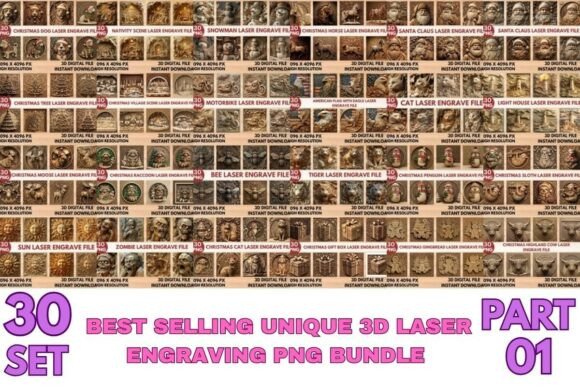
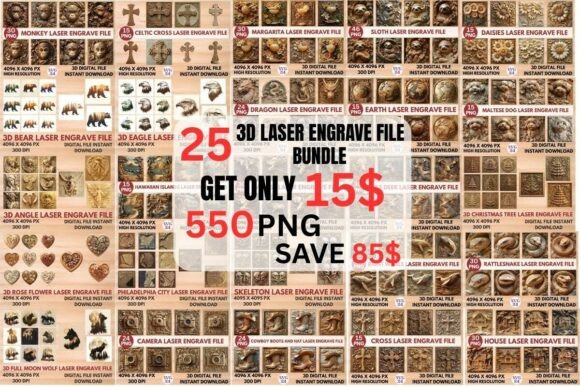
- 25 3D Laser Engrave File Bundle: A comprehensive collection of 550 PNG files, including 225 coloring PNG files and 225 grayscale PNG files.
- High Resolution: Each file is 13 x 13 inches (4096 x 4096 pixels), ensuring that the images are crisp and detailed.
- Instant Download: Access your files immediately after purchase, allowing you to start your projects without delay.
- Transparent Backgrounds: Ideal for layering and integrating into various design projects.
Compatibility and Usage
This bundle is optimized for use with most laser engraving devices, including Glowforge, xTool, and LightBurn. Before purchasing, ensure that your machine and software are compatible to avoid any issues.
Practical Applications
The 3D Laser Engrave PNG Bundle 2 is perfect for a wide range of creative and practical applications:
- Home Decor: Create unique wall art, coasters, and decorative items.
- Wood Crafting: Engrave detailed designs on wooden plaques, cutting boards, and furniture.
- Stationery: Personalize notebooks, pens, and other office supplies.
- Textile Design: Add intricate patterns to fabric, clothing, and accessories.
Instructions for Glowforge Machine
- Speed: Set to 1000.
- Power: Set to 90.
- Grayscale: Use Vary Power.
- Max Quality: Ensure this setting is selected.
- Lines Per Inch: Start with 270 and increase if needed.
- Number Of Passes: Set to 1.
- No Masking: Do not apply masking material.
- Material: Lighter wood works best for these settings.
Instructions for LightBurn Machine
For optimal results with the LightBurn machine, dither the image using a Jarvis dither filter. This method helps to achieve a smooth and consistent engraving, especially for detailed and complex designs.
Common Misunderstandings and Tips
One common misunderstanding is that all laser engraving machines use the same settings. Always check the specific recommendations for your machine to ensure the best results. Additionally, lighter wood is generally easier to work with and produces better engraving quality.
Tips for Beginners
- Practice on Scrap Material: Test your settings and designs on scrap material before working on your final project.
- Adjust Settings Gradually: Make small adjustments to your settings to find the perfect balance for your material and design.
- Use High-Quality Images: Always use high-resolution images to ensure the best possible engraving quality.
Conclusion
The 3D Laser Engrave PNG Bundle 2 is a versatile and high-quality resource for anyone looking to enhance their laser engraving projects. With its extensive collection of high-resolution PNG files and compatibility with major laser engraving devices, it offers endless possibilities for creativity and personalization. Whether you're a beginner or an experienced user, this bundle is a valuable addition to your toolkit.
Start exploring the world of 3D laser engraving and bring your ideas to life with the 3D Laser Engrave PNG Bundle 2.